 |
Radical Pie Equation Editor |
Spaces of many different sizes can be added to an equation by using the spaces palette. To add a space of arbitrary size to an equation, use the Insert Space dialog, shown below. This dialog can be opened by selecting Insert Space... from either the spaces palette or the Equation menu or by typing the keyboard shortcut Ctrl+Alt+Space.
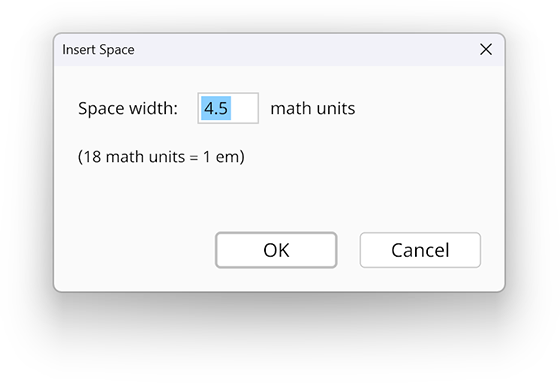
The size of a space is measured in math units (mu), and there are 18 math units per em. A space in ordinary text normally has a width of a quarter em, which is 4.5 mu.
The maximum size of a space is 72 mu, which is equivalent to 4 em. If a value larger than this is entered, then it is clamped to maximum.
A space can have negative width, in which case it acts as a kern that moves the preceding and following symbols closer together. The largest allowed kern is −6 mu.