 |
Radical Pie Equation Editor |
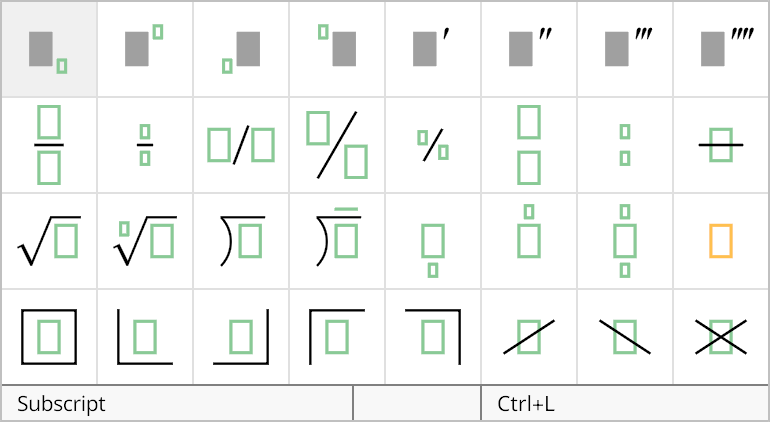
A stack is a full-size expression that has a smaller lebal directly above and/or below it. A stack can be added to an equation by selecting it from the third row of the structures palette, shown below. The shortcut Ctrl+Alt+L can be used to quickly insert a new stack with a label below it, and the shortcut Ctrl+Alt+H can be used to quickly insert a new stack with a label above it.
The properties of a stack structure can be changed in the Stack Properties dialog, shown below. This dialog is opened by selecting Properties... from the Edit menu or typing the shortcut Ctrl+P while the insertion caret is inside any one of the groups belonging to the stack structure.
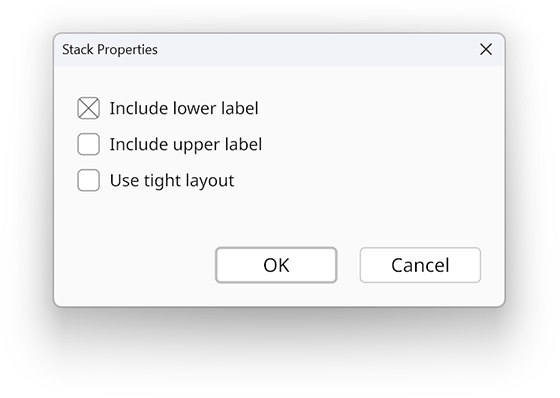
If the Include lower label box is checked, then the stack structure includes a label group below the main expression. Likewise, if the Include upper label box is checked, then the stack structure includes a label group above the main expression. It is possible to uncheck both of these boxes, and in that case, the stack becomes an inline group.
Labels are normally placed below the baseline or above the capital height of the main expression, but if the Use tight layout box is checked, then the labels can be moved inward when there’s space, and the label is a little smaller by default. This is particularly useful for placing small labels above or below and operator, for example. When the insertion caret is inside any of the groups belonging to a stack structure, you can use the Cycle Layout Variants command in the Equation menu, or the shortcut Ctrl+Y, to quickly toggle the tight layout option on and off.