 |
Radical Pie Equation Editor |
There are two types of accents, or marks, that can be used in Radical Pie. The first type applies to a single character and is always drawn at the same size using an accent character from a font. This type of accent is attached to an existing symbol. The second type is called a wide mark, and it applies to a group that can contain an arbitrary expression. Wide marks are synthesized by Radical Pie, and they stretch as necessary to match the size of their contents.
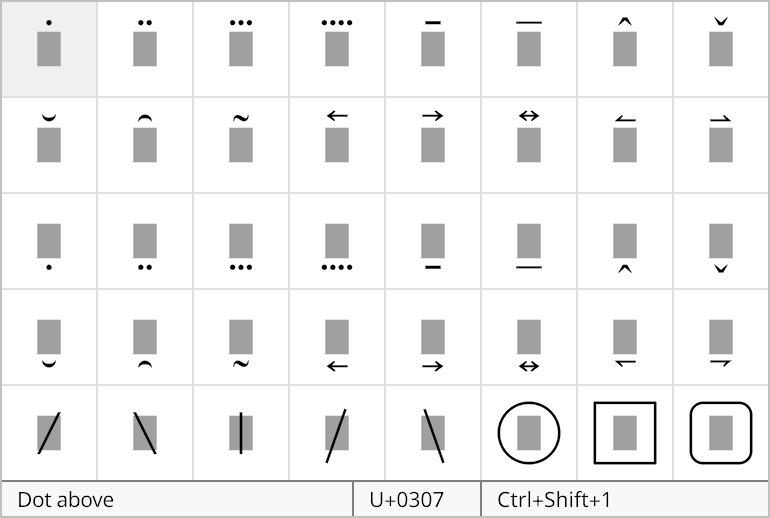
A single-character mark can be applied to the symbol immediately to the left of the insertion caret by selecting it from the marks palette, shown below. Multiple marks stack upward or downward depending on whether the mark is set above or below the symbol. You can remove the last mark to be applied to a symbol by pressing the Backspace key when the insertion caret is immediately to the right of the symbol.
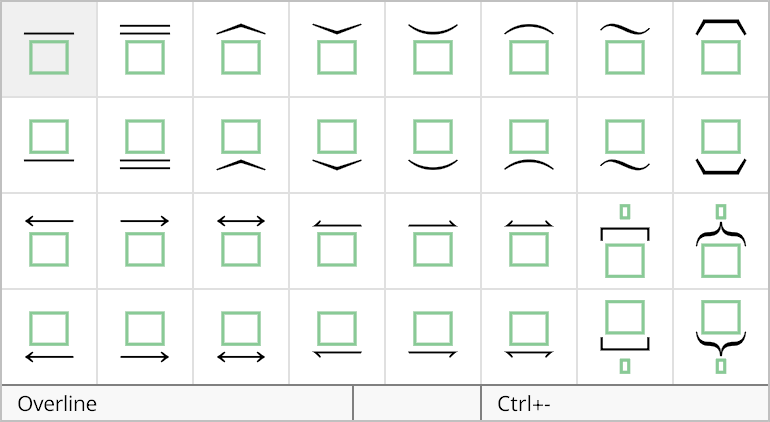
A wide mark can be added to an equation by selecting it from the the wide marks palette, shown below.
The properties of a wide mark structure can be changed in the Widemark Properties dialog, shown below. This dialog is opened by selecting Properties... from the Edit menu or typing the shortcut Ctrl+P while the insertion caret is inside the group belonging to the widemark structure.
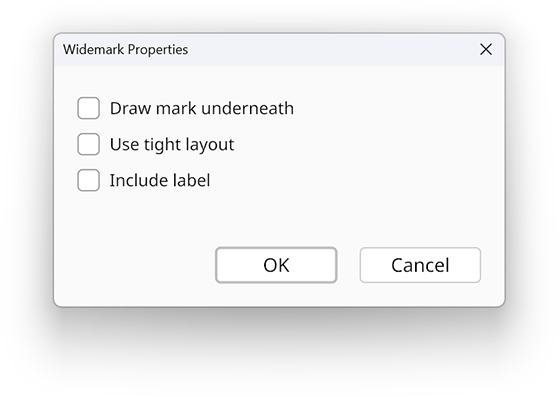
If the Draw mark underneath box is checked, then the wide mark appears below the expression to which it applies. Otherwise, the wide mark appears above the expression.
Wide marks are normally placed below the baseline or above the capital height of the main expression, but if the Use tight layout box is checked, then they can be moved inward when there’s space. This is particularly useful when an expression under a wide mark contains only lowercase letters with no ascenders.
The Include label box determines whether a label group is included with the wide mark structure. If this box is checked, then a label group appears outside the wide mark.